Workflows and Forms
Workflow Management
Workflow management in FileEazy! is a module designed for setting up and monitoring a defined set of tasks along with its sequence. It helps users in collaborating and automating processes, as well as in defining different workflows for different types of processes and applications. A workflow is a series of actions that accomplish a particular task. Workflows simplify everyday tasks by combining many steps together in a particular order based on user defined conditions.
Some examples of Workflows are Employee On-boarding process, Employee Leave Application, Purchase Request Approval, Content Approval process etc.
Here is a picture of a typical Employee On-boarding process. These tasks are repetitive and can be performed at regular intervals.
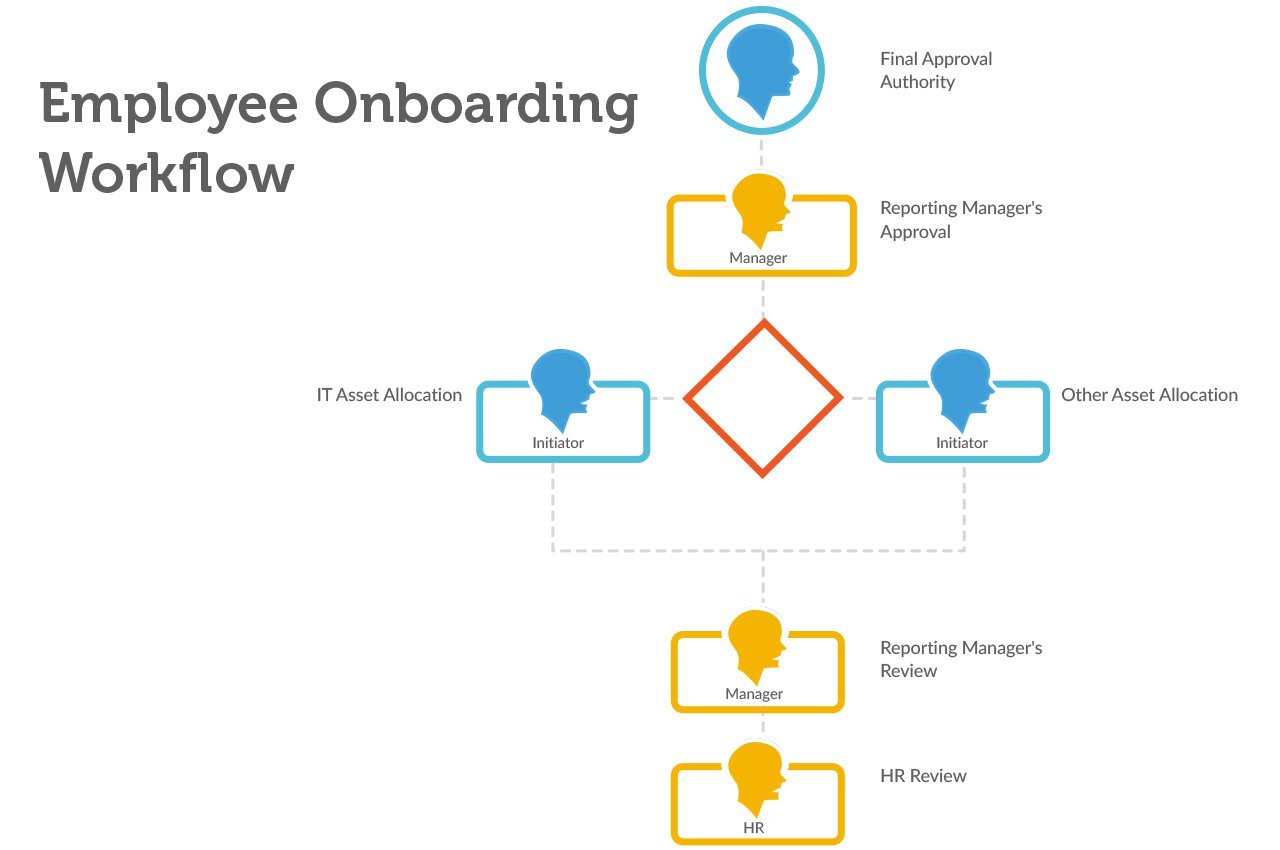
Workflows in FileEazy! has a starting component which is either a Form or Document. In most cases, it will be a form, when submitted by a user, triggers the Workflow. For e.g., when an employee submits a leave application form for a purchase request form the Workflow associated with that Form is triggered and the people assigned to the first stage are notified via emails and in-app notifications. Once the actions assigned in that stage is complete, it automatically moves to the next stage until the End stage is reached.
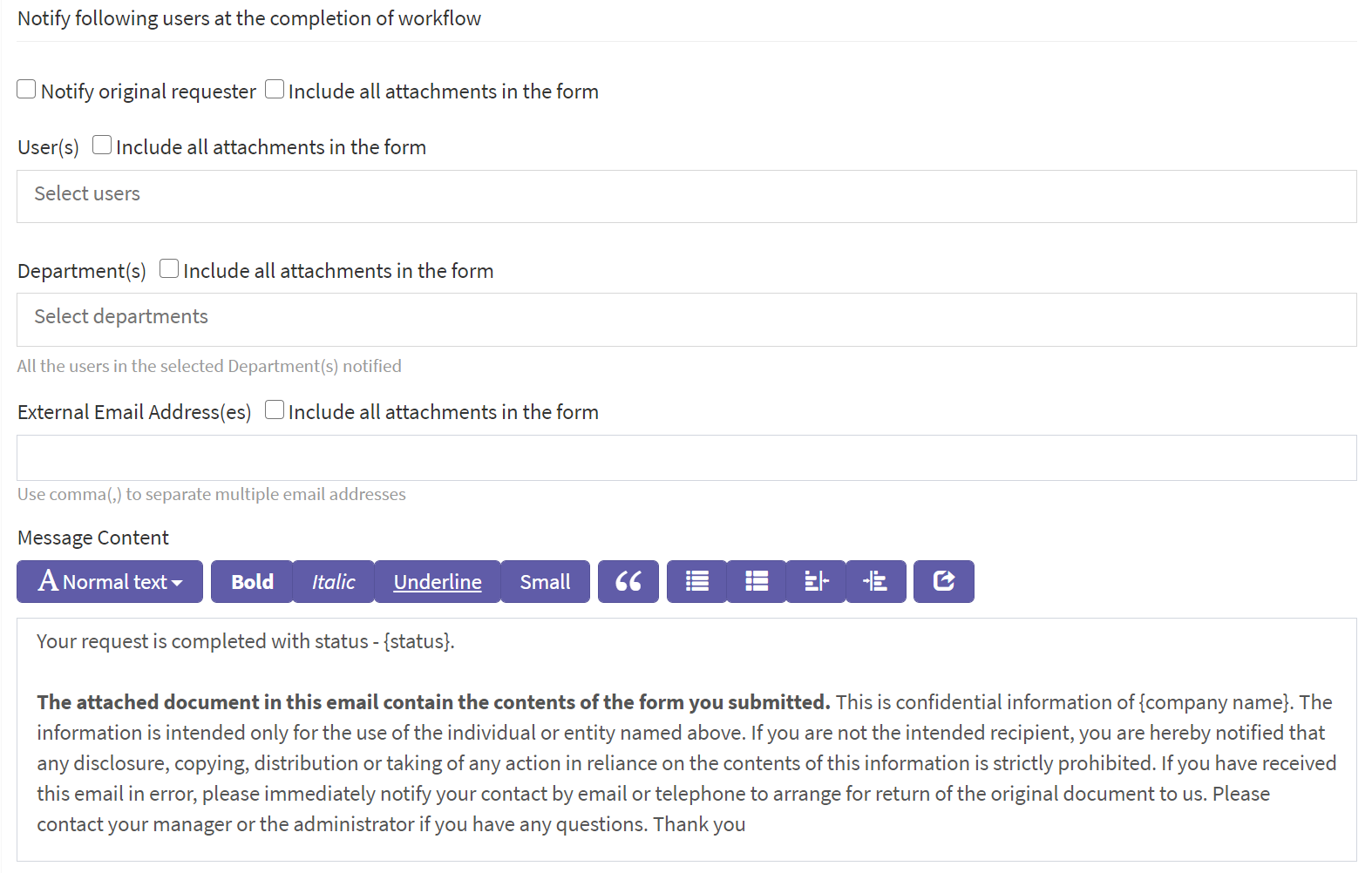
FileEazy! allows interested parties to be notified via e-mail at the completion of the Workflow. The users who need to be notified when a Workflow is complete can be specified at the End stage.
For more details see Creating a Workflow.