Creating a Document Type
Add Document Type
To add documents in FileEazy, it is mandatory to create a Document Type.
A Document type refers to a categorization or classification assigned to documents based on their content, purpose, or characteristics. It is a way to organize and manage various types of documents within the system, making it easier for users to locate, access, and work with specific documents.
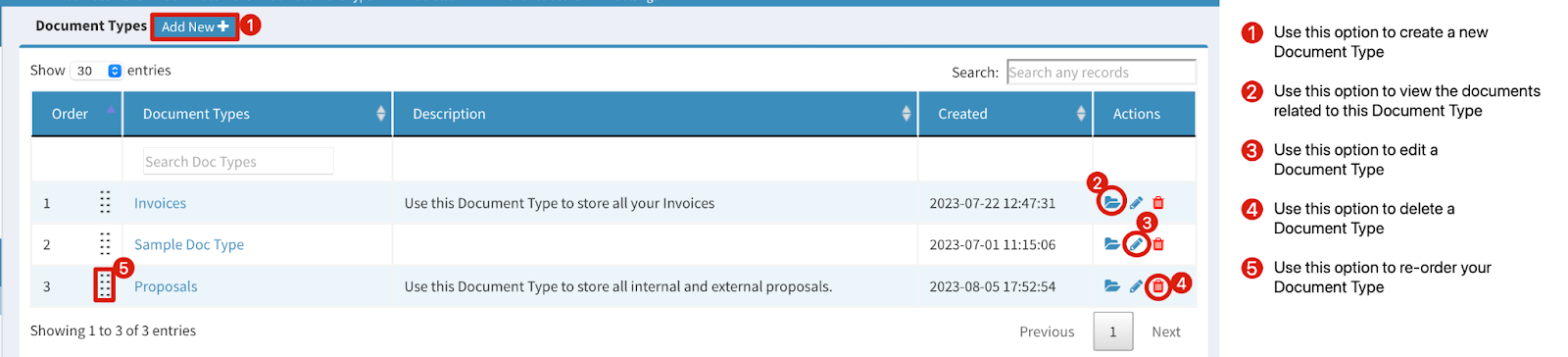
To create a Document Type in FileEazy, select the ‘Add Document Type’ button on the top panel and click the  button.
The Document Type creation dialog will be launched.
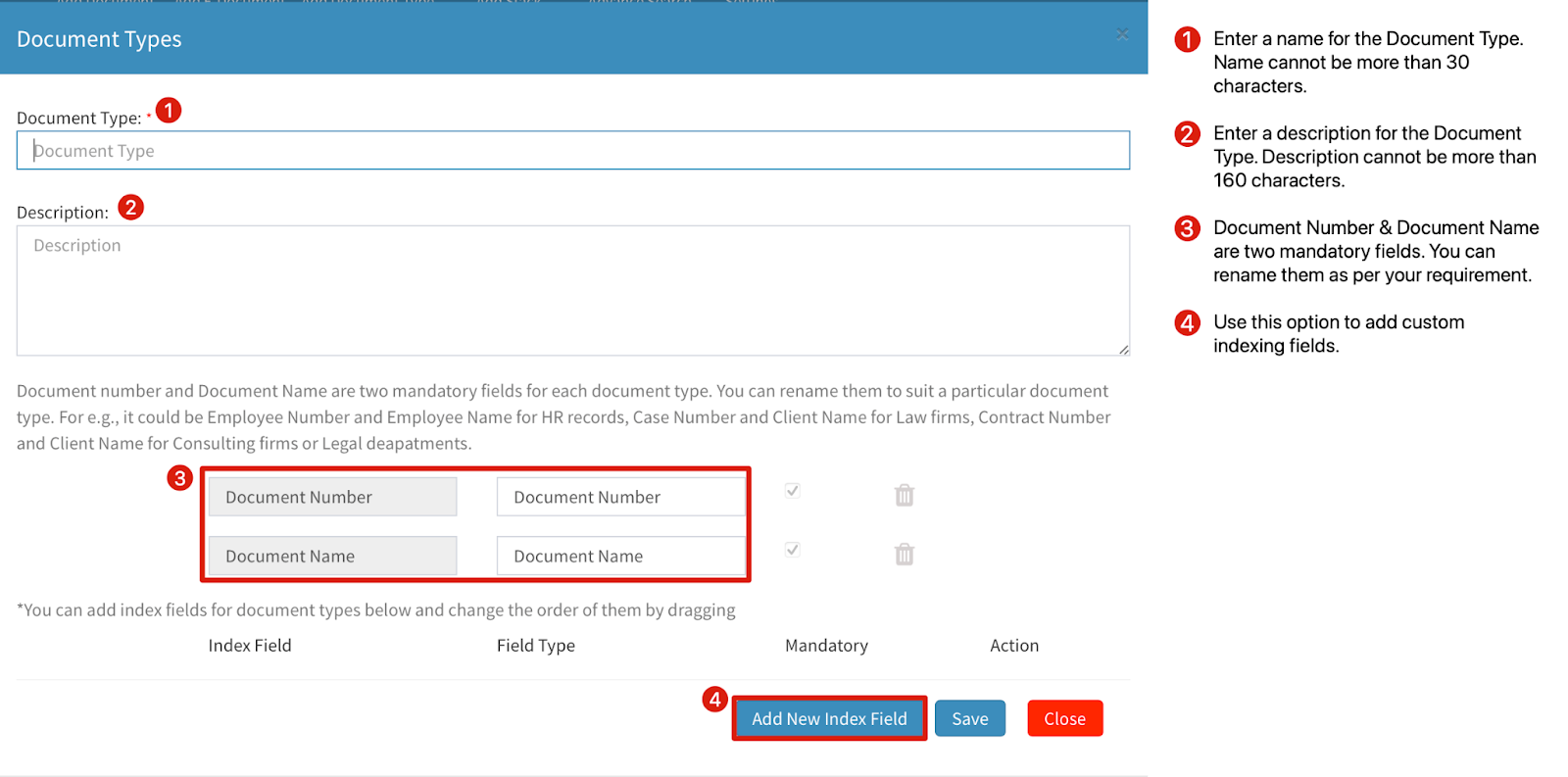
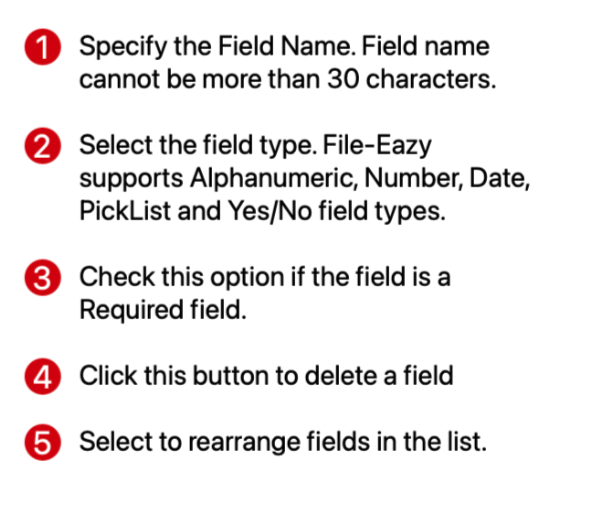
You can create custom fields based on your classification of Document Types.
To create a custom field, click on the  button.