Understanding the Screens
System Requirements
In order to operate the system, it is important to understand the how the menu and screens are structured in this system. You will be able to see the how you can easily access all the screens with no more than two clicks.
This section lists the general layout of the screens.
- Login
- Dashboard
- Main Document View Screen (With Work Space)
- Sidebar Menu
- Top Menu or Ribbon Menu
- Document View
- List of Checked Out Documents
- List of Imported Documents
- Importing Documents in Bulk
- Exporting Documents from the System
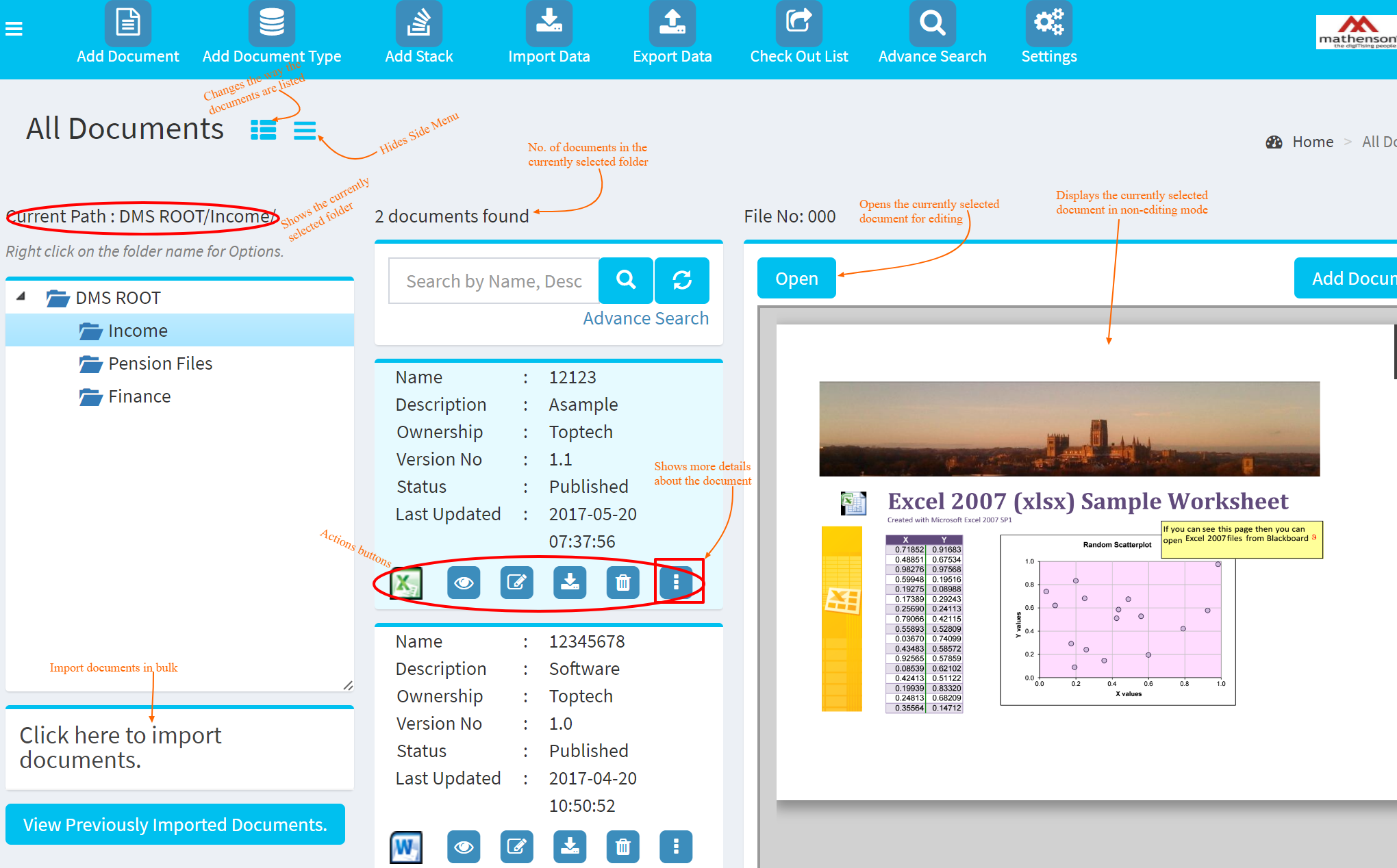
Main Document View Screen (With Work Space)
The system has an intuitive main screen where all the documents are listed. You can also import documents in bulk on this screen.